
How to upload a game to itch.io

In this article, you will learn how to upload your very first game to itch.io.
Step 1 - Opening the Upload Menu
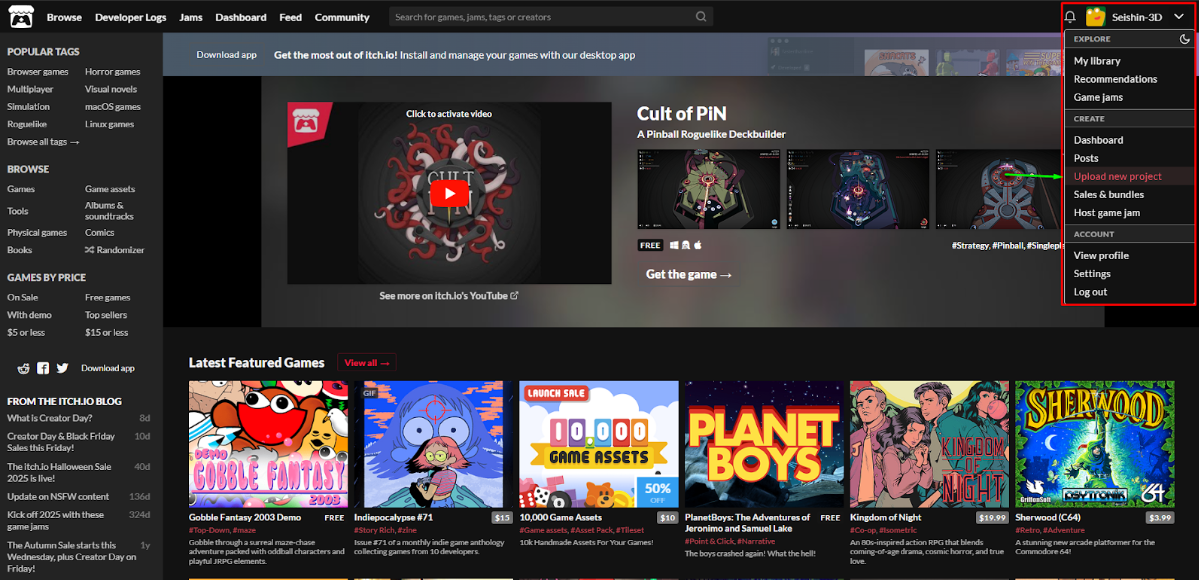
First, click the arrow in the top-right corner of the website, and then select “Upload new project.”
Step 2 - Filling Out the Project Information
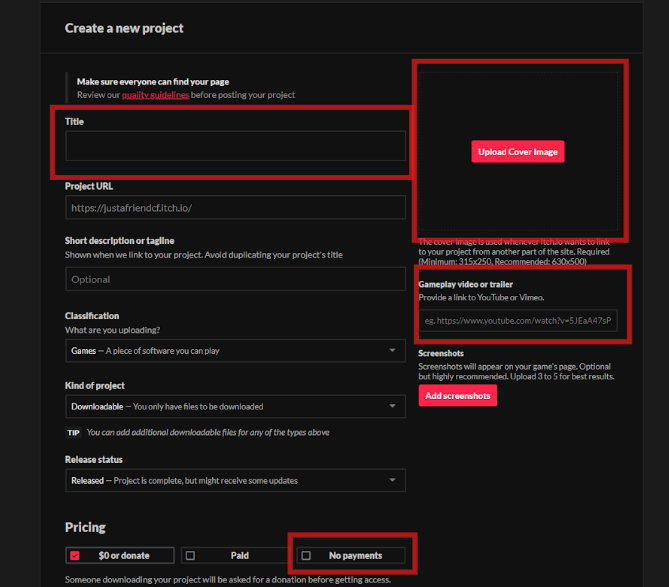
Once you are on the project page, you will need to fill in the relevant information.
Title - This is your game’s name.
Upload Cover Image - This is the thumbnail that will appear whenever itch.io displays your project.
Gameplay video or trailer - Add a YouTube gameplay video of your game.
Screenshots - Here you can upload additional screenshots of your game.
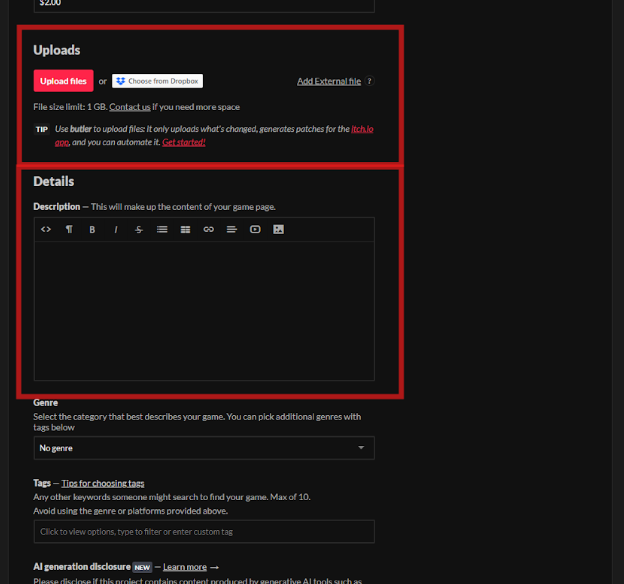
Uploads - Here you upload your game files in a ZIP file.
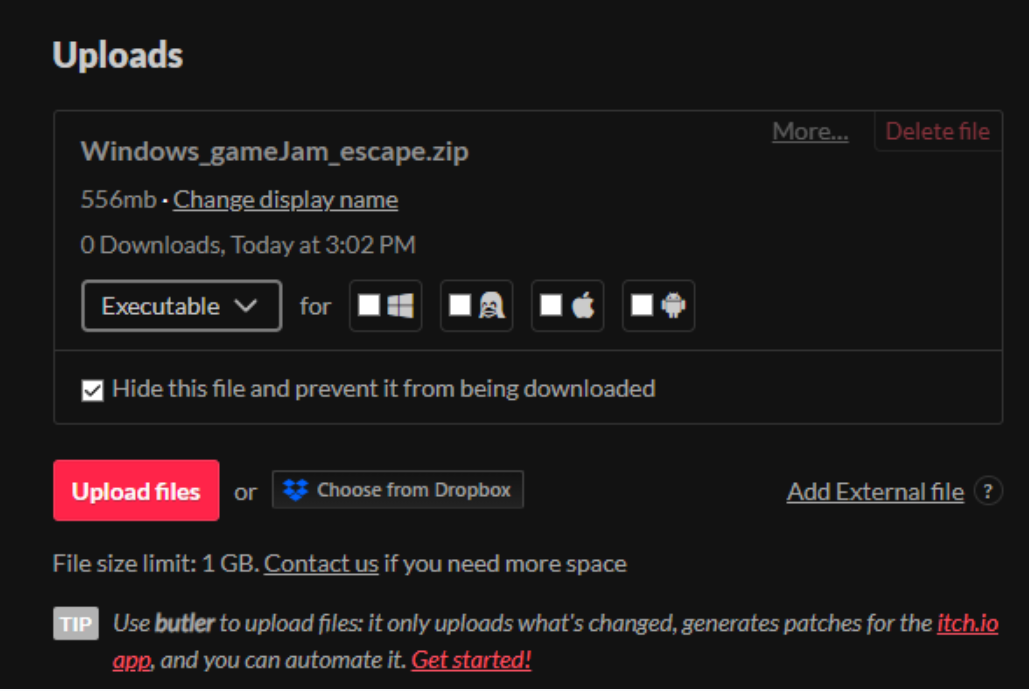
Important Note: itch.io has a maximum file size limit of 1 GB per upload.
Details - Add a description of your game.
Visibility & access- change the status to Public.
Note: if you can’t change it to Public, you need to save it first and then try again.
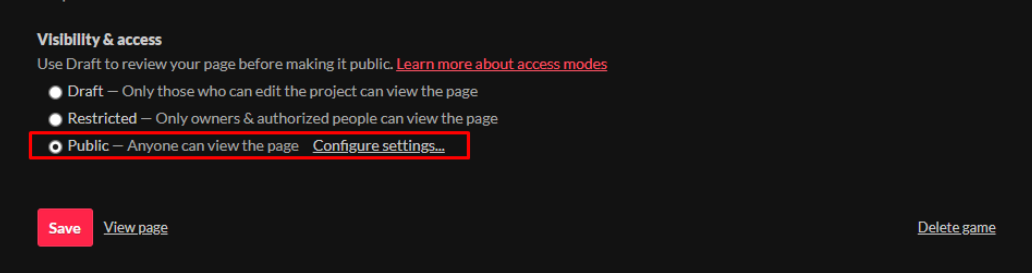
Last - click Save and share the link in the Showcase channel on discord.
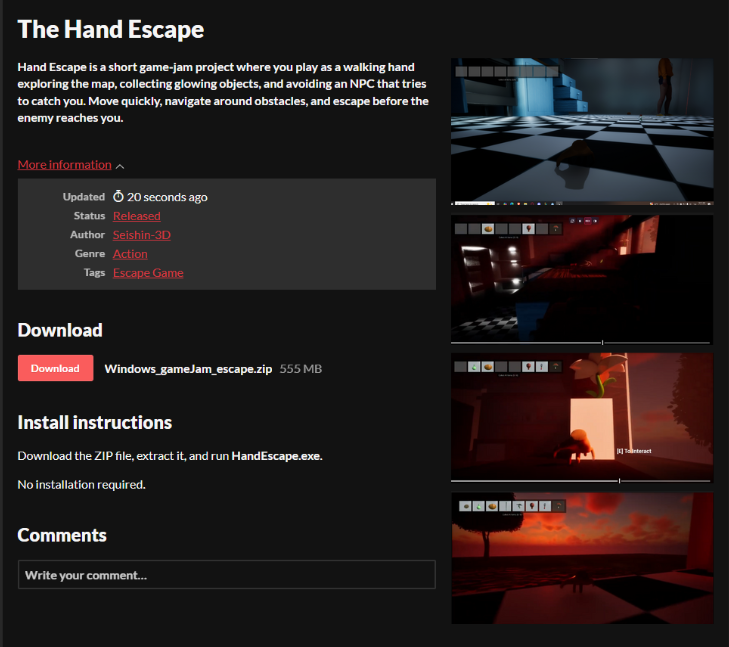
Below is an example of how an uploaded game looks:
Want to master this yourself?
Book your trial lesson and pick up the techniques in this article hands-on with an instructor.