How can I make a Video Game?

So, you’ve got an idea. Maybe it’s a sprawling RPG set in a cyberpunk Tokyo, or maybe it’s just a funny physics game about a raccoon stealing pizza. You’ve played enough titles to know what works and what doesn't, and now you’re itching to build your own.
But then you open Google, type "game development," and get hit with a wall of terrifying terms: polygons, baking lightmaps, C++, rigid bodies. It’s enough to make you close the tab and go back to just playing games instead of making them. 🎮
Here’s the honest truth: making games is challenging, but it’s not magic. It’s a process. And just like building a Lego set, if you have the instructions and the right pieces, you can build something amazing.
Let’s break down exactly how to make a video game, step-by-step, without the scary jargon.
Phase 1: The Blueprint (Don't Touch the Computer Yet!)
The biggest mistake beginners make is jumping straight into the software. They start placing trees and characters before they even know what the game is about. This usually leads to a messy project that gets abandoned in a week.
Before you worry about how to make a video game on a computer, you need to make it in your head (and on paper). In the industry, we call this the Pre-Production phase.
You need a plan. We usually call this a Game Design Document (GDD), but don't let the formal name scare you. It can just be a one-page Google Doc or a notebook.
Ask yourself these three questions:
• What is the core loop? (e.g., Run, jump, collect coin, repeat).
• What is the goal? (e.g., Save the princess, get the highest score).
• What is the vibe? (e.g., Scary, cartoonish, realistic).
Once you have this roadmap, you won't get lost when things get technical.
Phase 2: Choosing Your Engine (Yes, It Can Be Free)
Now that you have a plan, you need a tool to build it. A game engine is a piece of software that handles the heavy lifting-physics, rendering graphics, and playing sound-so you don't have to code that stuff from scratch.
A lot of people ask how to make a video game for free. The good news? The best tools in the world are currently free to download.
** The Big Two:**
1. Unreal Engine: This is what we specialize in at GameReady. It’s used for massive hits like Fortnite, Star Wars Jedi: Survivor, and Final Fantasy VII Remake. It’s famous for incredible graphics and-best of all-a visual scripting system called "Blueprints" that lets you make games without typing complex code.
2. Unity: Also very popular, especially for mobile games and 2D projects.
If you have a decent PC or laptop, you can download Unreal Engine 5 right now without spending a penny. You only pay royalties if your game makes over a million dollars (which is a pretty good problem to have!). 😊
Phase 3: The Assembly Line (Who Does What?)
If you’re an indie developer working alone, you’re going to wear a lot of hats. If you’re looking to join a studio, you’ll usually pick one specialized lane.
Here is a simple breakdown of the roles required to actually build the thing.
This isn't about drawing characters; it's about rules. The designer decides how high the character jumps, how much damage the enemy does, and how the levels are laid out. They make sure the game is actually fun.
The programmer makes things happen. When you press "A," the character needs to jump. That requires logic.
• The Challenge: Learning logic can be tough.
• ** The Solution:** In Unreal Engine, we use Visual Scripting. Instead of writing lines of text, you connect nodes with wires like a circuit board. It’s much more intuitive for visual learners.
This covers everything you see.
• 3D Modelers: Create the characters and environments.
• Animators: Make those models move convincingly.
• UI Artists: Design the health bars, menus, and scoreboards.
The Sound Designer (The Vibe)
Try playing a horror game on mute. It’s not scary, right? Sound designers create sound effects (SFX) and composers write the music. This is often the most overlooked part of how to make a video game, but it’s what makes a game feel "premium."
Phase 4: Production and Polish (The Grind)
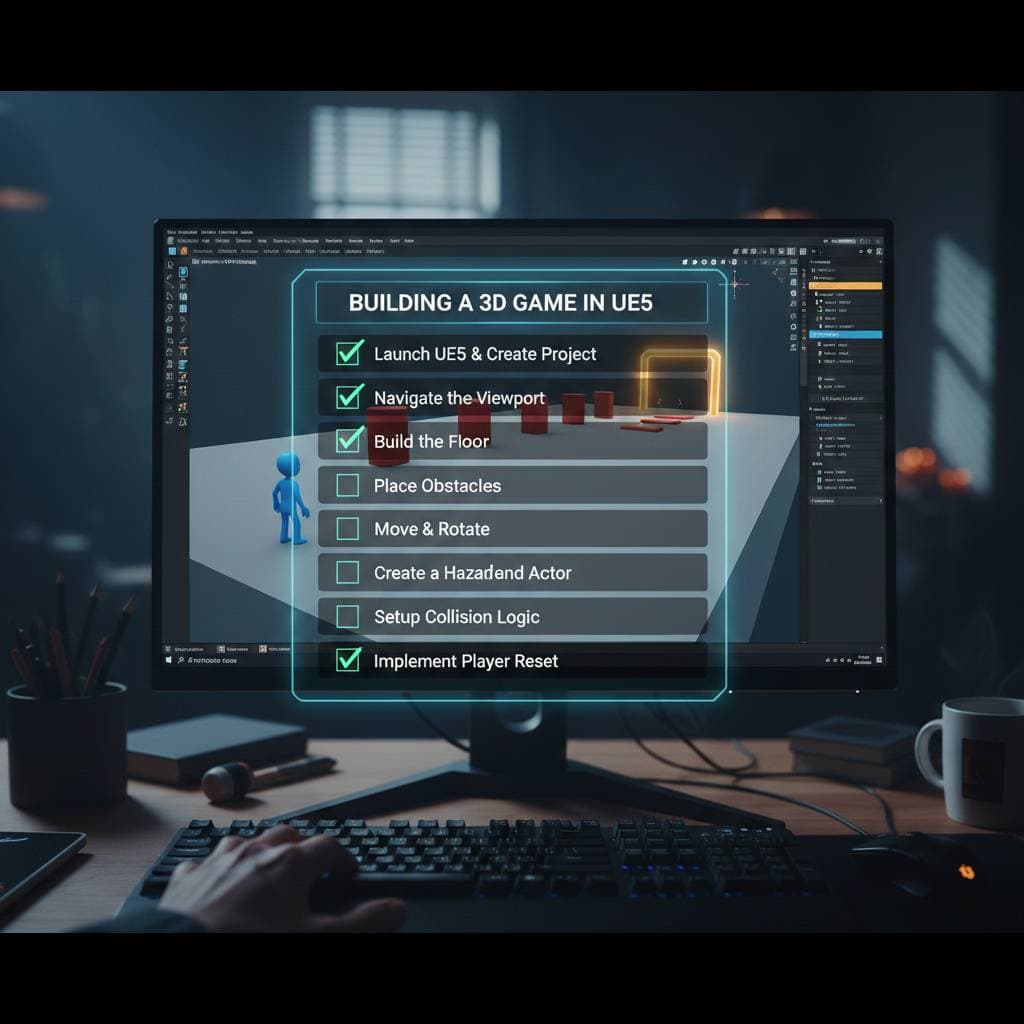
So you’ve installed Unreal Engine, you’ve got your plan, and you understand the roles. Now you enter Production.
This is where you build the "Greybox." This is a version of your game that uses simple grey blocks instead of fancy graphics. You verify that running and jumping feels good before you spend 100 hours designing a beautiful forest.
Once the gameplay is fun, you swap the grey blocks for real art. You add lighting. You add sound.
Then comes the most important part: Debugging. Your character will fall through the floor. The game will crash when you open the menu. Enemies will run into walls. This is normal! Fixing these issues is what separates a prototype from a finished product.
Quick Recap: Your Roadmap to Launch
If you scrolled to the bottom (we get it, time is money ⏱️), here is the cheat sheet on how to make a video game:
1. Plan First: Write down your idea. Don't start without a map.
2. Get the Tools: Download Unreal Engine (it’s free!).
3. Start Simple: Don't try to build an MMO. Build Pong or Mario first to learn the ropes.
4. Learn the Logic: Use visual scripting (Blueprints) to make things move.
5. Greybox: Build the level with simple blocks to test the fun factor.
6. Polish: Add art, sound, and fix the bugs.
Ready to Start?
Learning how to make a video game is a journey. You will hit walls, and you will have bugs that make absolutely no sense. But you don't have to do it alone.
We are an Epic Games Gold Tier training center for a reason-we know Unreal Engine inside and out, and we know how to teach it to real people, not just computer scientists.
If you’re serious about moving from "I have an idea" to "I made a game," we’d love to help you take that first step.
Want to see if game dev is right for you? Sign up for a Free Trial Lesson at GameReady today and let’s build something awesome together. 🚀
Want to master this yourself?
Book your trial lesson and pick up the techniques in this article hands-on with an instructor.