
Github for Unreal Engine
When working alone, we strive to have source control to make sure we have revisions and backup to go back to if something goes wrong or branches for different versions and more…
But what happens if we are on a team? We need a way to collaborate and share data between computers. Luckily, GitHub comes in for the rescue. It’s easy to set up and handy even for non-tech-savvy people.
Create a GitHub account
Navigate to https://github.com/ and follow the steps.
Download and install the GitHub Desktop app
Navigate to https://desktop.github.com/download/ and follow the steps.
Setting up the Git repository
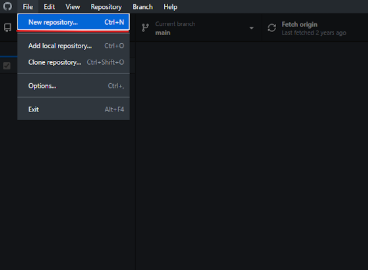
First, make sure you have your project created normally from the Unreal Engine interface. Afterwards, in GitHub Desktop, navigate to File → New repository.
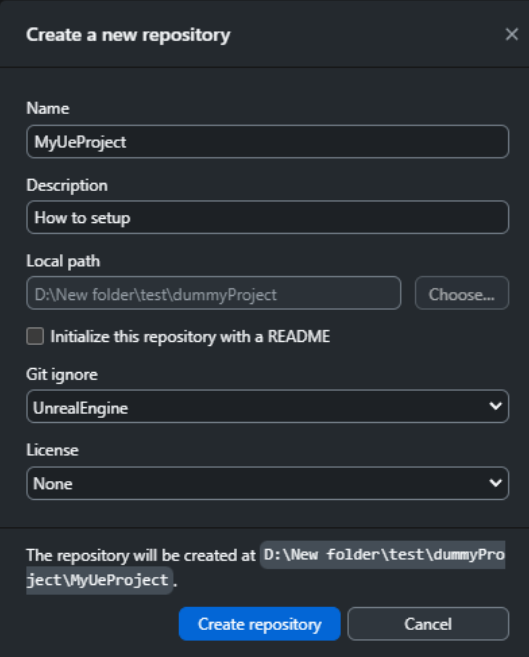
Local path must be the root of your UE project; remove the slash at the end of the path if present.
Make sure to choose the Git ignore type for UnrealEngine. It will exclude stuff like Intermediate and other files that are regenerated and irrelevant for syncing.
How to add collaborators
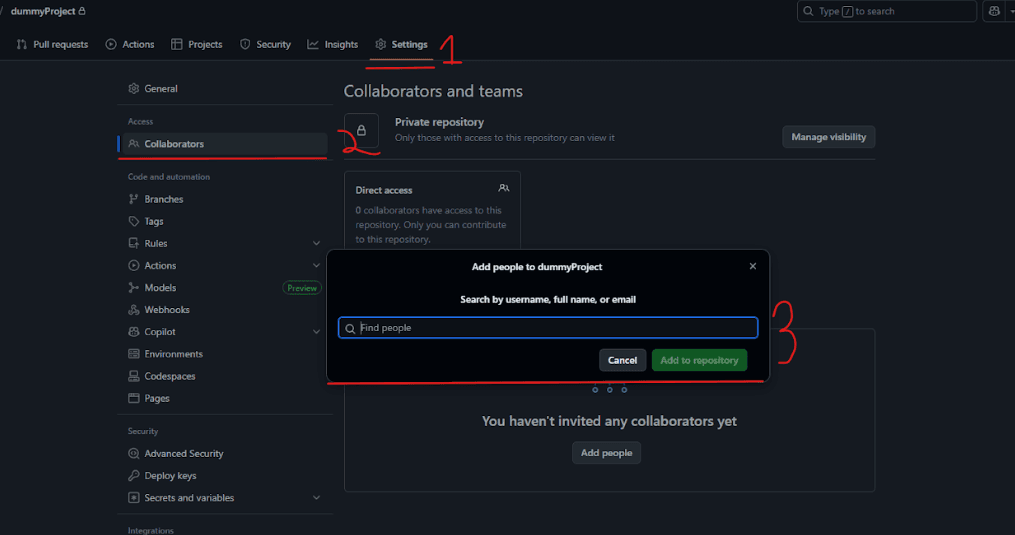
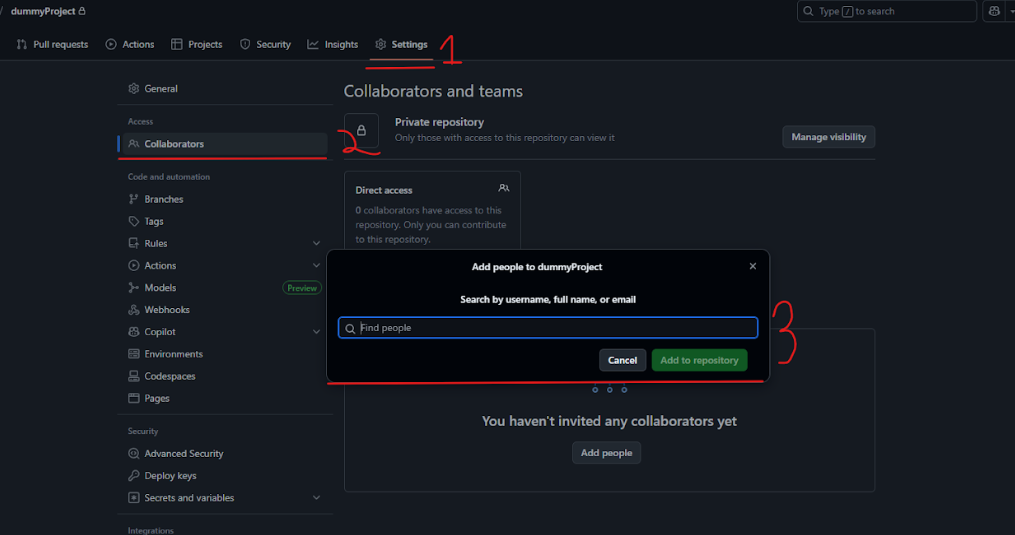
Navigate to your GitHub account → the repository we created → Settings, and add collaborators. (They must be signed up to GitHub already.)
How to push, commit and pull
After you start adding content into your project, you will find that your GitHub Desktop app shows a list of changed files.
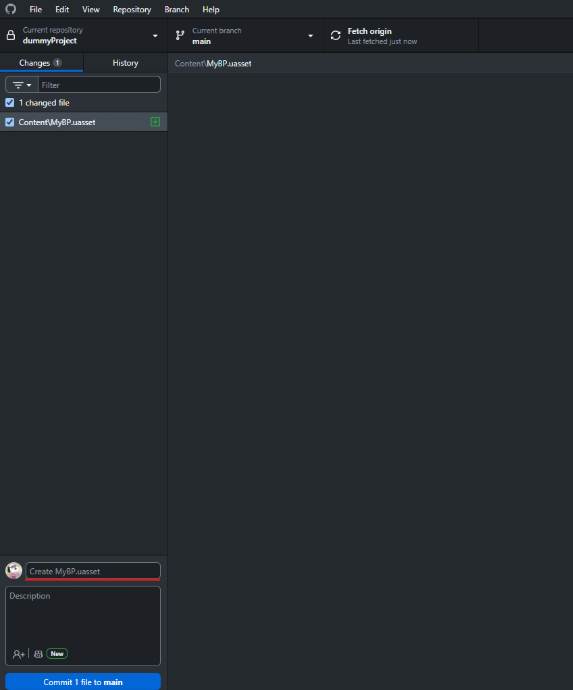
Select what you want to commit, give it a brief title and description, and press Commit.
When ready, push it into the repository.
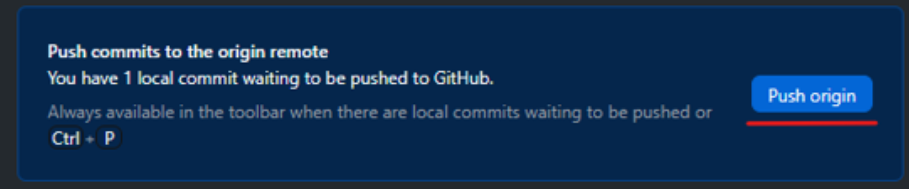
Talk with your team, and when you push, tell everyone else you pushed so they can fetch the data and get a pull option to update their local project.
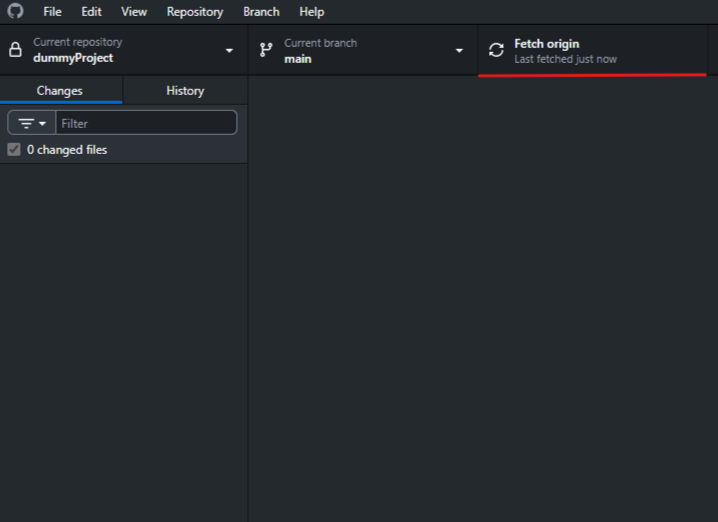
After fetching, you will be prompted to pull. Press it, and it will sync your local files with the repository.

Important!
- Never work on the same file, blueprint, or asset at the same time, as it will result in a conflict when syncing. Always communicate and decide who does what.
- Don’t forget to push and pull. Failing to do so will result in mismatched projects.
- The bigger your GitHub repo gets, the slower it will sync. Use your space wisely.
Want to master this yourself?
Book your trial lesson and pick up the techniques in this article hands-on with an instructor.